
The user can select the WAN Profile that is used for the System Route using the System Route option. The traffic of the System Route is routed using the selected WAN Profile.
To set the WAN Profile for the System Route, perform the following steps.
Steps
-
Select Routes from the side menu bar and click the System Route tab.
-
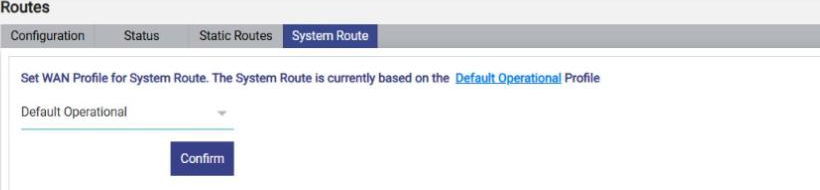
The screen displays the message Set WAN Profile for System Route. The System Route is currently based on the <WAN Profile> Profile. The name of the current WAN Profile is a link; click it to open the WAN Profile. By default, the System Route is based on the Default Operational profile, see figure below.
-
In the dropdown list, select the required WAN Profile. The list contains all WAN Profiles configured on the system (for example, Default and Default Operational). For details about creating WAN Profiles, see section WAN Profiles.
-
Click Confirm. The System Route is now based on the selected WAN Profile.