
MultiPath Konnect (MPK) Mode Selection
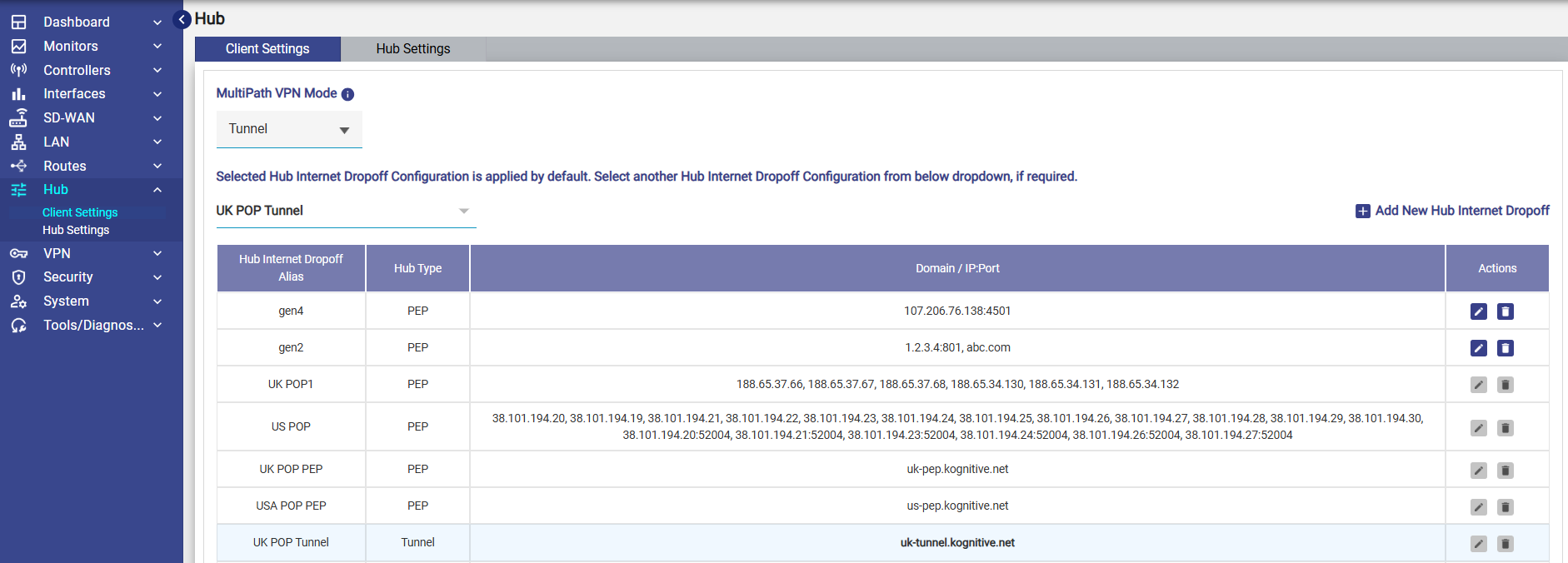
The MultiPath Konnect Mode can now be configured from both the Hub Settings and Client Settings screens. Administrators can choose the operating mode best suited for their deployment.
Available Modes
|
Mode |
Description |
|---|---|
|
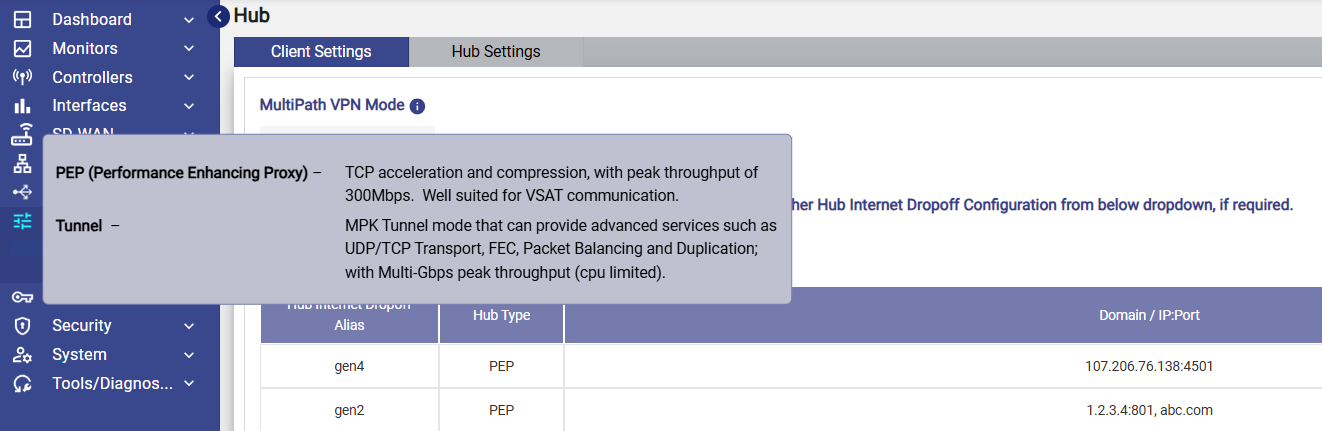
PEP (Performance Enhancing Proxy) |
Provides TCP acceleration and compression with peak throughput of approximately 300 Mbps. Best suited for VSAT and other high-latency links |
|
Tunnel |
Enables MPK Tunnel functionality with advanced capabilities such as TCP Transport, Forward Error Correction (FEC), Packet Balancing, and Packet Duplication. Supports multi-Gbps throughput (CPU dependent). |
An Information (ℹ️) icon beside the dropdown explains the capabilities of both modes.
-
The Client Settings page includes the Multi Path Konnect Mode dropdown.
-
Changing the mode displays a confirmation dialog informing the administrator that:
-
Existing traffic sessions will be interrupted.
-
-
The selected MPK mode will be applied immediately.
Select the Hub Internet Dropoff Configuration
The user can select the required Hub Internet Dropoff Configuration and also add new Configurations if needed.
-
Select the required Hub Internet Dropoff configuration from the drop-down list.
-
Note: The drop-down displays only the Hub Internet Dropoff configurations that use the same MultiPath Konnect (MPK) Mode as the currently selected Client mode.
-
Select the required configuration from the dropdown menu.
-
The available configurations are listed down in a table.
-
Click Add New Hub Internet Dropoff button to add a new configuration.
-
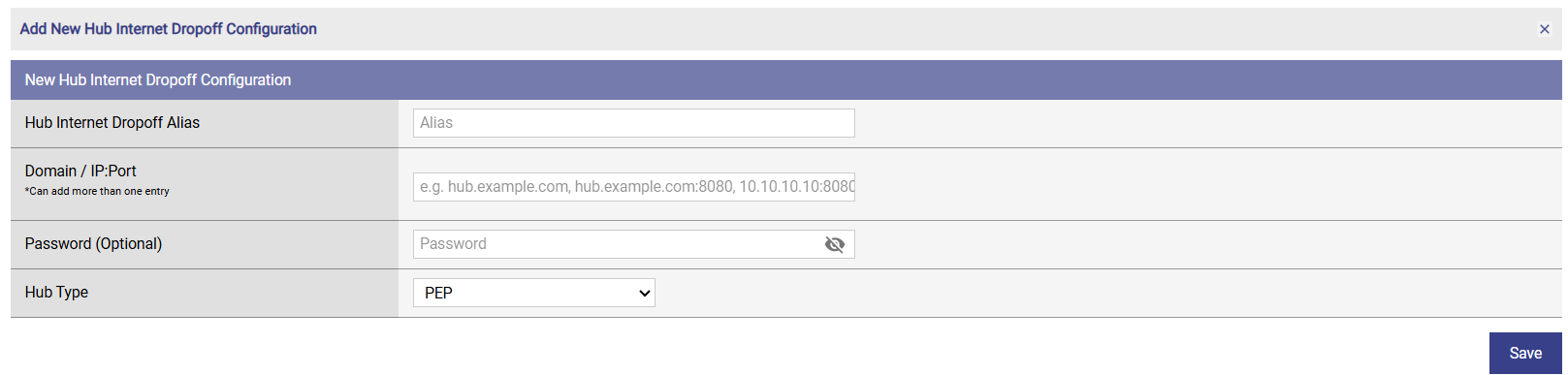
The New Hub Internet Dropoff Configuration dialog box opens.
-
Enter the Hub Internet Dropoff Alias.
-
Enter the Domain / IP:Port combinations.
-
Enter a Password. This field is optional.
-
Select the Hub Type from the dropdown menu.
-
Click Save.
-
The Configuration is saved and can be selected from the dropdown menu.