Release Notes of 2.0
Feature / Enhancements
-
New Kernel (24.10) Support with RS400
-
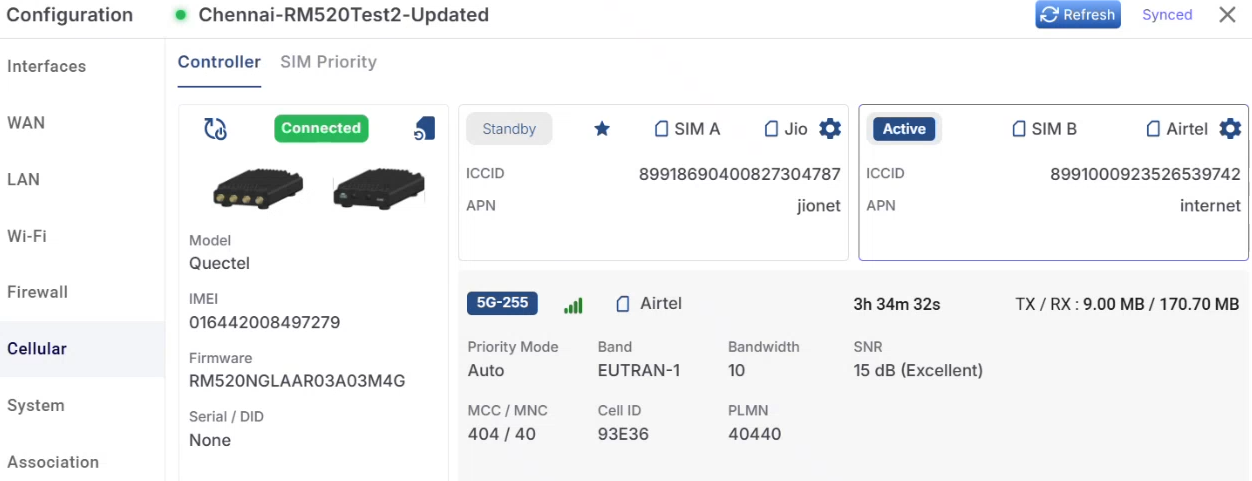
RM520 (Inbuilt 5G Modem)
-
Captive Portal Configuration per Site / Access Network - Captive Portal configuration can now be applied at the site or Access Network level.
-
Please use the following link to view the Captive Portal Configuration per Site / Access Network online help - CAN Portal Manager.
-
-
Access Network Restriction for Captive Portal Users - User accounts created through self-sign-up or by administrators can now be restricted to a specific Access Network.
-
Please use the following link to view the online help - Portal Manager Self sign up Configuration.
-
-
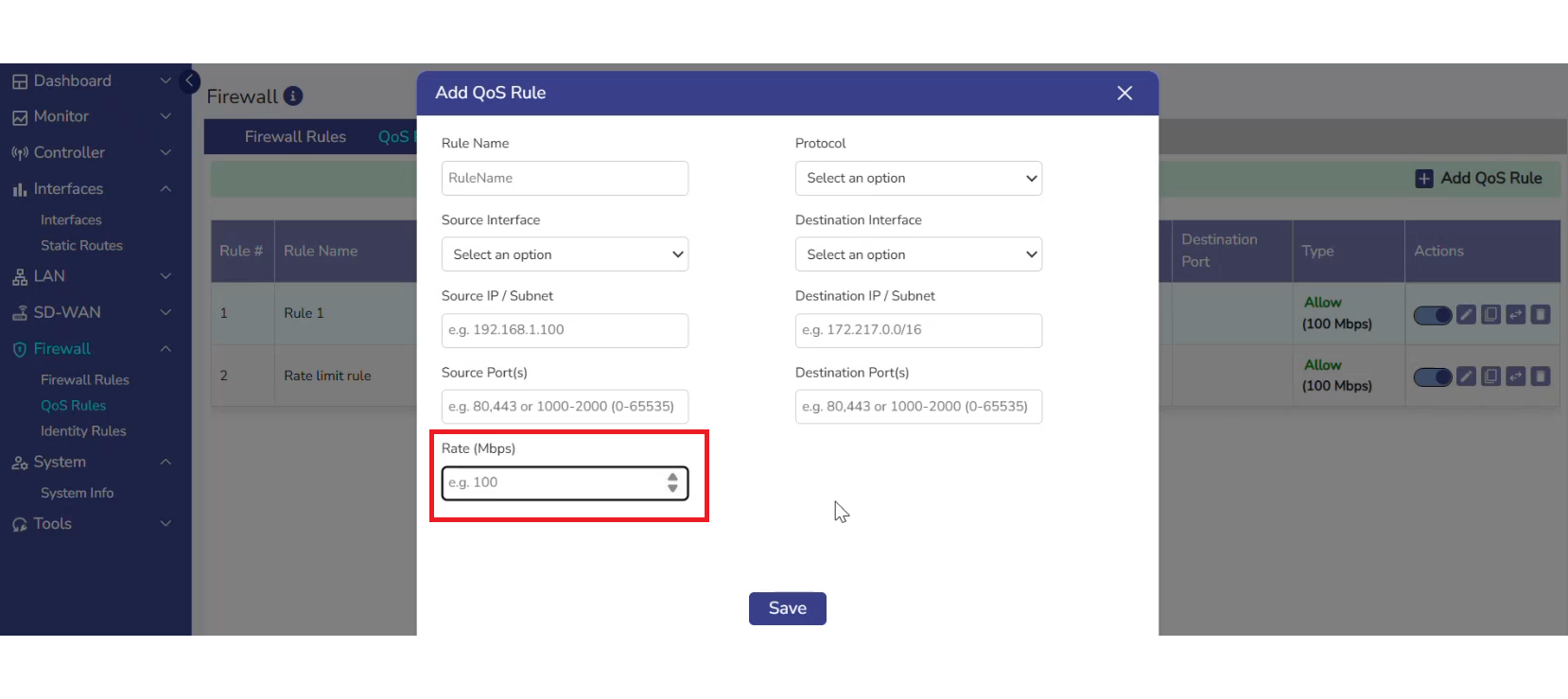
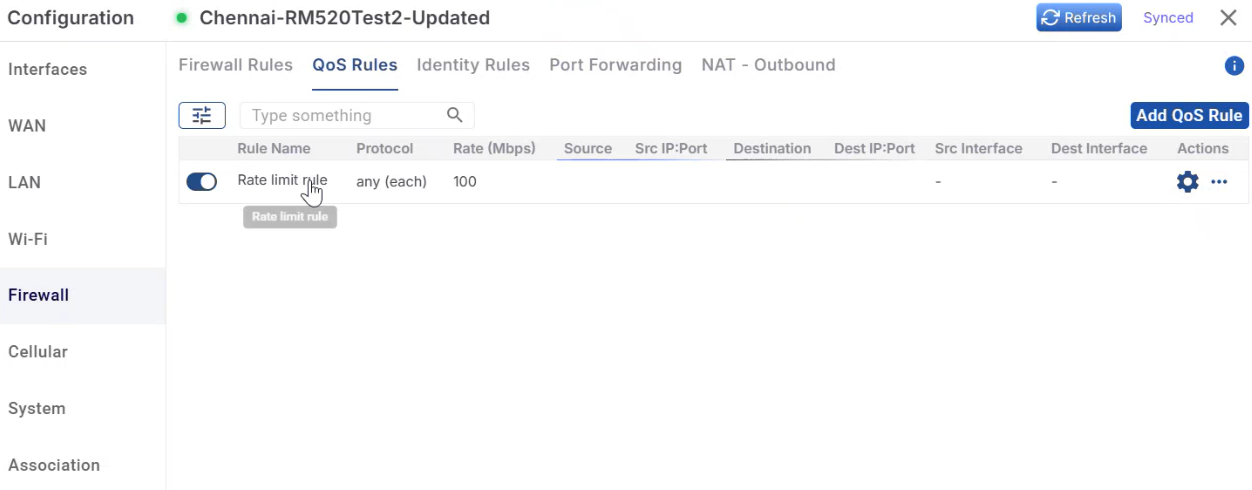
Firewall Rate Limiting Support - Rate limiting support has been introduced in Firewall > QoS rules.
-
Please use the following link to refer to the Firewall QoS Rules online help - QoS Rules.
-
Note: Please note that the QOS Rules tab inside the Firewall screen will not be available for Essential license.
-
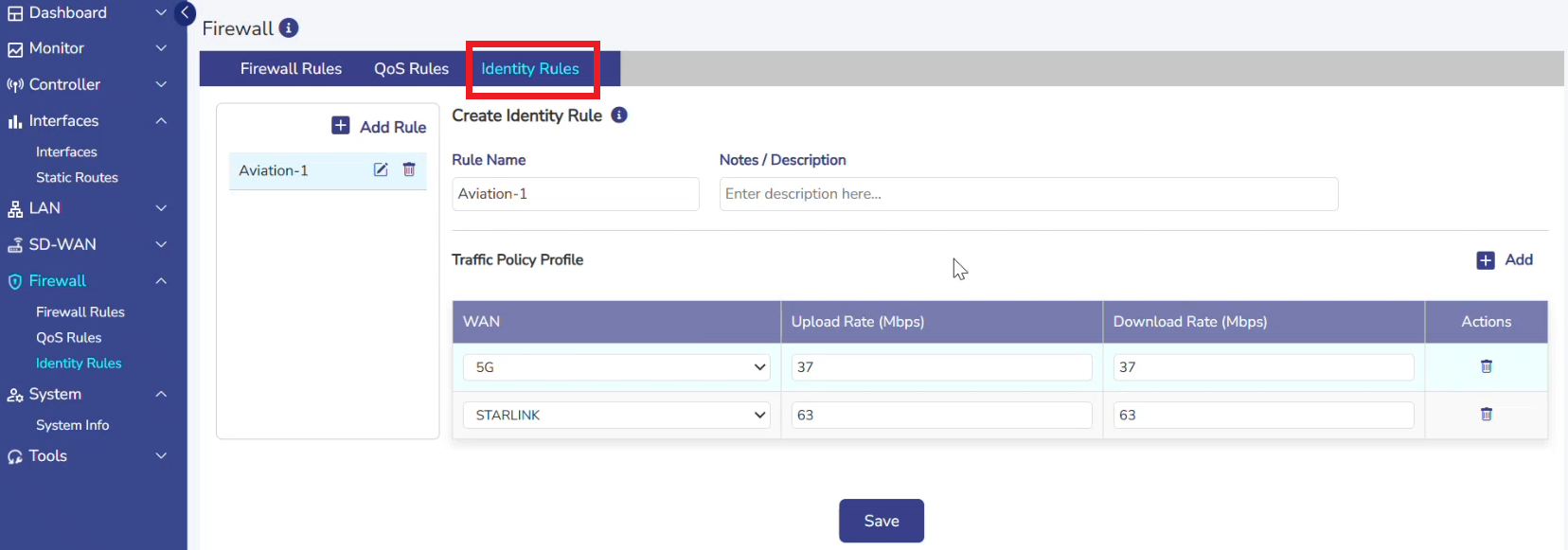
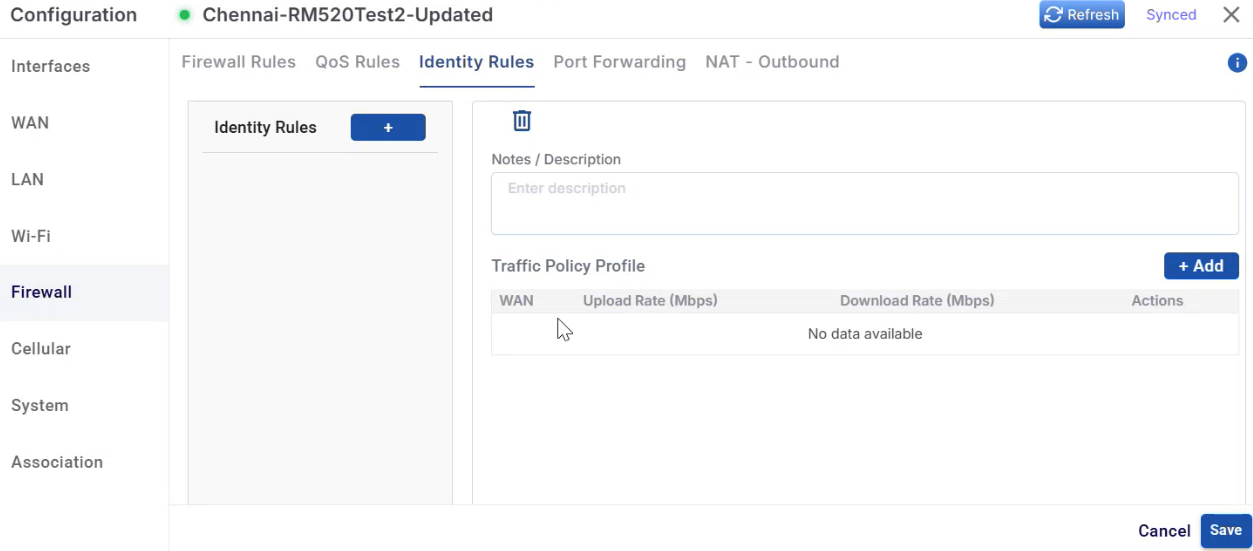
QoS (Shaping)/Identity Rules Support for Captive Devices - New Identity Rules allow administrators to define traffic policies for captive portal devices.
-
Please use the following link to refer to the Firewall Identity Rules online help - Identity Rules.
-
Note: Please note that the Identity Rules tab inside the Firewall screen will be available only for Standard Router Captive license. It will not be available for other license types.
-
Open Edge Licensing updates for supporting Identity Rules.
-
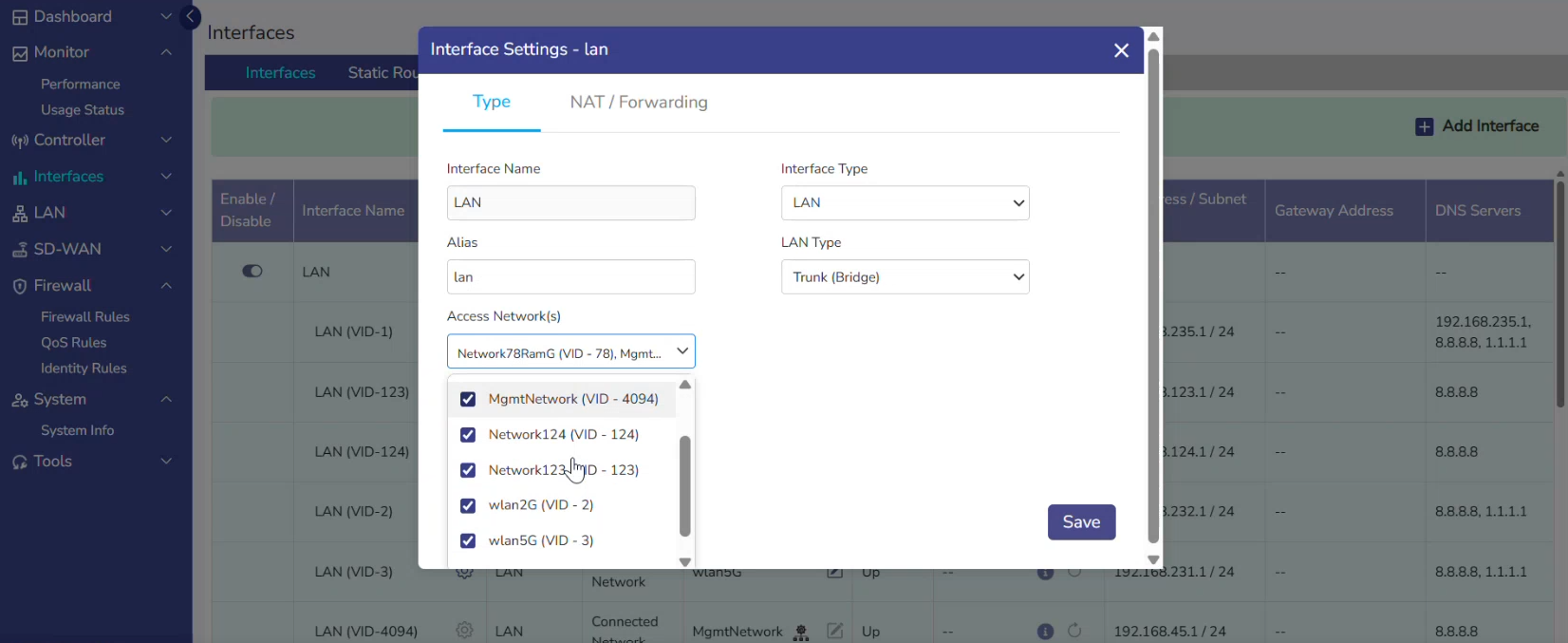
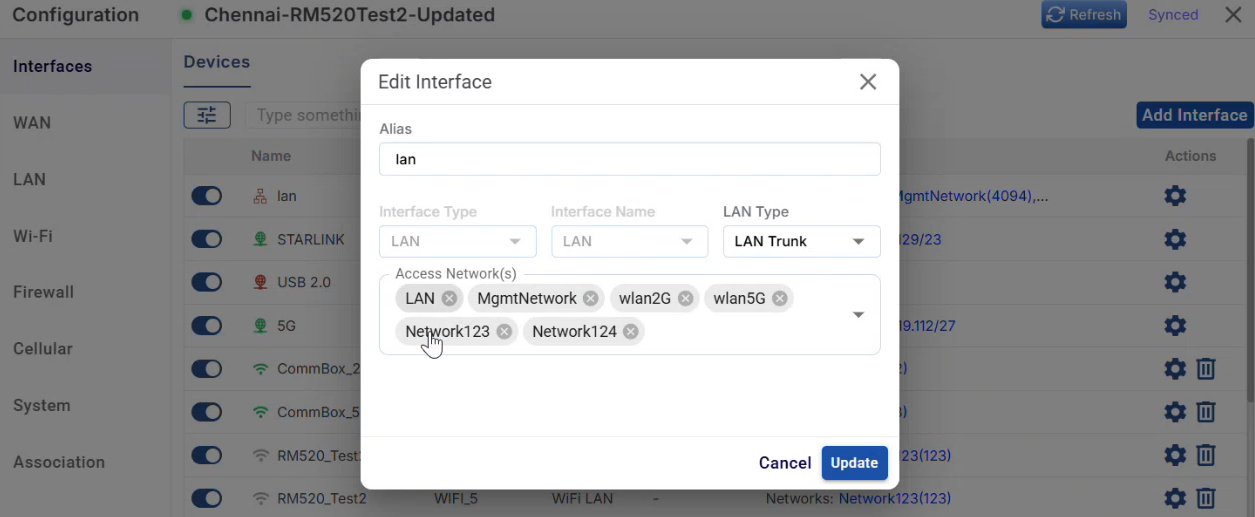
Multi-Bridge Support for LAN Interfaces - LAN trunk interfaces now support assignment to multiple Access Networks.
-
Please use the following link to refer to the Interfaces online help - Interfaces.
-