
-
Click the Events tab to view the Events table.
-
The Events table shows the log of all events occurring in the system.
-20250318-071045.png?cb=d6b026cb3fbd95633ffc7119fbc0ca8a)
-
The table shows the following information:
-
Timestamp - Date and Time of the Event.
-
Site Name - Name of the Site
-
DID - Device Identification Number
-
Source
-
Level - Severity level of the event
-
Module
-
Description
-
Metadata
-
-
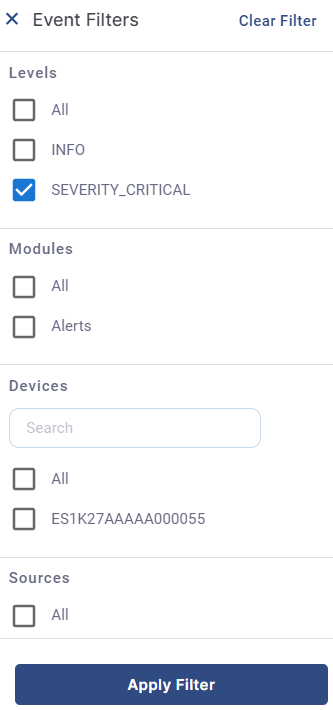
Click the Filters button to filter the Events table based on the following parameters:
-
Levels
-
Modules
-
Devices
-
Sources
-
-
Select the required filters and click Apply Filter button.
-
The Events table gets filtered based on the selected filters and displays the required results.