
Release Notes of 8.1.1 Build 67
Bug Fixes
-
Correction for VM upgrade getting stuck – Fixed an intermittent issue where virtual machine upgrades could become stuck.
Release Notes of 8.1.1 Build 66
Feature / Enhancements
-
ES515 Hardware Support - Adds support for the new ES515 hardware.
-
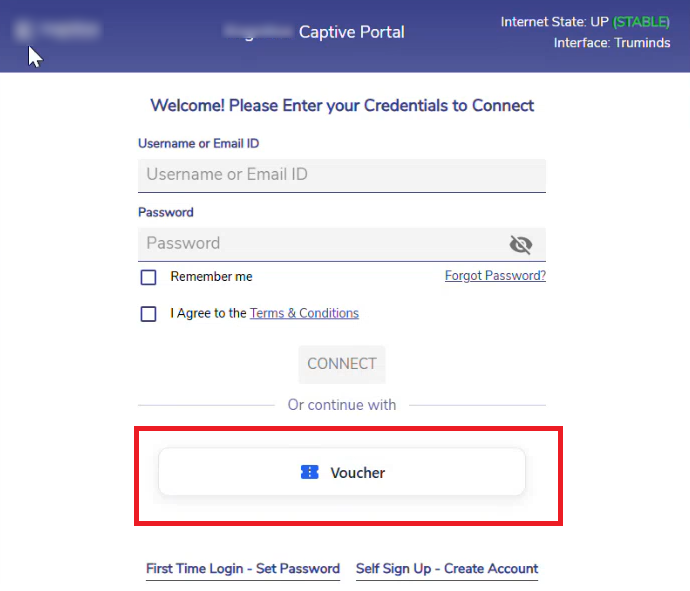
Captive Portal Voucher Login - Adds a dedicated Voucher button on the Captive Portal login screen, allowing users with vouchers to authenticate directly using voucher credentials. Please refer the following link to view the online help - Voucher Users
-
Konnect App Enhancement for L3 Proxy - Enhances the Konnect App with support for Layer 3 (L3) Proxy connections.
-
Note: This acts an a replacement for the Softether tool.
-
-
Epic Pro Firewall to EdgeServer Configuration Support - Introduces support for applying configurations created on Epic Pro Firewall systems to Epic Pro2 Firewall systems.
Bug Fixes
-
Correction for IDS/IPS temporary file cleanup - Correction for disc full issues.
-
Netify protocol list update – Updated the protocol definitions with the latest Netify protocol list.
-
Recovery for Influx corruption – Added recovery handling for Influx corruption scenarios.
-
Correction for login failures – Resolved login failures that occurred as a result of the API timeouts.
-
Correction for configuration restore on virtual machines – Fixed configuration restore failures on VM deployments.
-
Correction for Konnect configuration with site names – Konnect configuration now succeeds when the Site Name contains spaces.
-
Correction for Access Network speed test – Fixed an issue that caused speed tests to fail on Access Networks.
-
Note: This was an intermittent issue and has been resolved.
-
-
Correction for periodic cleanup script – Fixed an issue where files containing spaces in their names were not removed during scheduled cleanup.
-
Correction for DHCP configuration on routed networks – Fixed an issue that occurred when enabling DHCP on an existing routed network that was originally created with DHCP disabled.
-
Correction for Firewall rule hit reporting – Implicit Allow firewall rule hits are now correctly reported to Kloud.
-
Correction for WebCLI DHCP command – Fixed an issue where the
k4.show.dhcpcommand could fail to display existing DHCP assignments.
-
Correction for WebCLI packet capture cleanup – Updated the
k4.monitor.wiresharkcommand to prevent temporary capture files from persisting after the WebCLI session ends, eliminating the risk of disk space exhaustion.
-
DPI Analytics enhancement – DPI Analytics now reports traffic for all IP protocol types, including ICMP, ESP, GRE, and others, instead of being limited to TCP and UDP traffic.
-
Correction for Application Policy applications – Restored missing applications in the Application Policy configuration.
-
Correction for memory leaks – Fixed memory leaks caused by stale contrack entries not being cleared periodically. This issue was specific to MPK and observed in the Tunnel mode only.
-
Correction for usage accounting – Addressed multiple scenarios that could result in inaccurate usage reporting, including incorrect identification of inter-VLAN traffic and traffic forwarding/counting when the WAN type was set to None.
-
Note: WAN interface type was missing on the application policy which got corrected - which had impact on the usage accounting.
-
Release Notes of 8.1.1 Build 36
Feature / Enhancements
-
Captive Portal Configuration per Site / Access Network - Supports Captive Portal configurations at the site or Access Network level, enabling granular control of user access and policies.
-
Please refer the following link to view the Captive Portal Configuration per Site / Access Network online help - CAN Portal Manager.
-
-
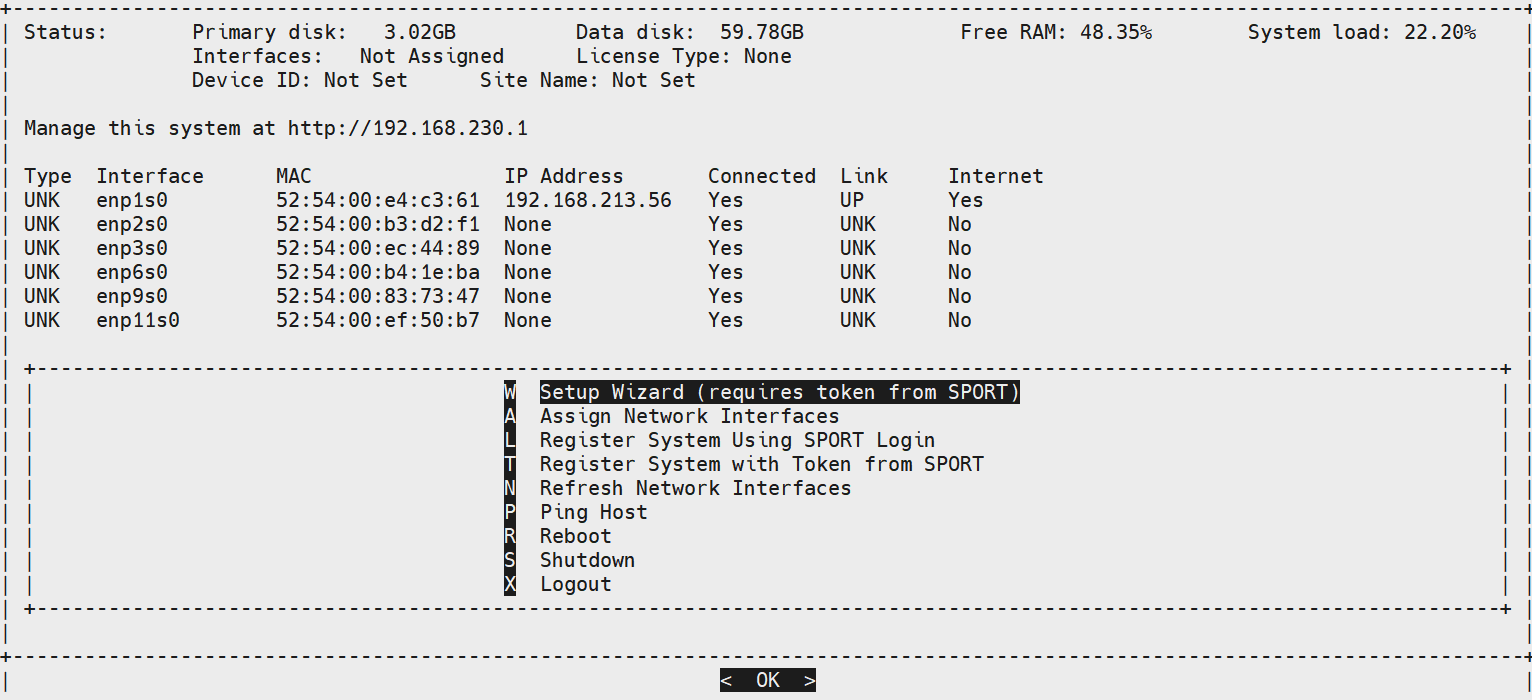
VX Quick Configuration - Introduces a streamlined quick configuration workflow to simplify initial setup and deployment.
-
Please refer the Token Validation section under section 5.1.1 Method 1 - Using Setup Wizard in the following link to view the Quick VX Configuration - Token Validation.
-
-
System Health Enhancement – Flows per IP - System health metrics now include visibility into flows per IP, improving monitoring and troubleshooting capabilities.
-
DPI Analytics Sampling - Implements DPI analytics sampling on highly loaded systems to optimize performance.
-
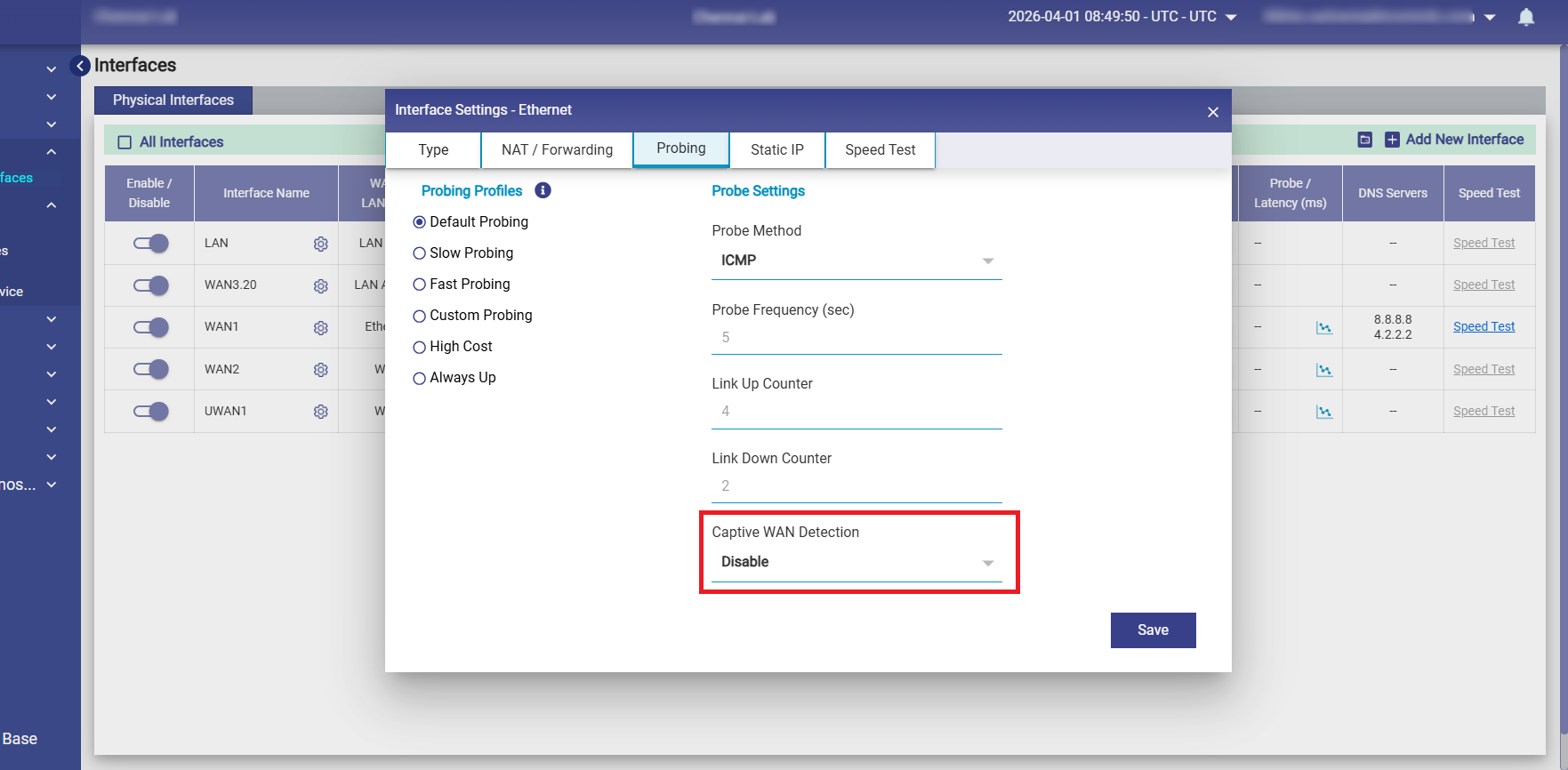
Configurable Captive WAN Detection - Adds support for configuring Captive WAN detection under interface probing settings.
-
High Availability (HA) Update - Static IP and SIP services are now disabled on the standby server to ensure proper HA behavior and avoid conflicts.
-
Increased WAN Interface Scalability - Maximum supported WAN interfaces increased from 12 to 20.
Bug Fixes
-
MPK internal configuration optimization – Improved internal configurations for better performance and speed.
-
Correction for IPS initialization – IPS was not coming up after license upgrade and in routed network scenarios; this has been fixed.
-
Hardening of factory reset – Improved reliability and stability of the factory reset process.
-
Correction for application-based policy routing – Issues with application based Policy Routing has been resolved.
-
Cleanup of Public Hub IP configuration – Removed inconsistencies in Public Hub IP handling.
-
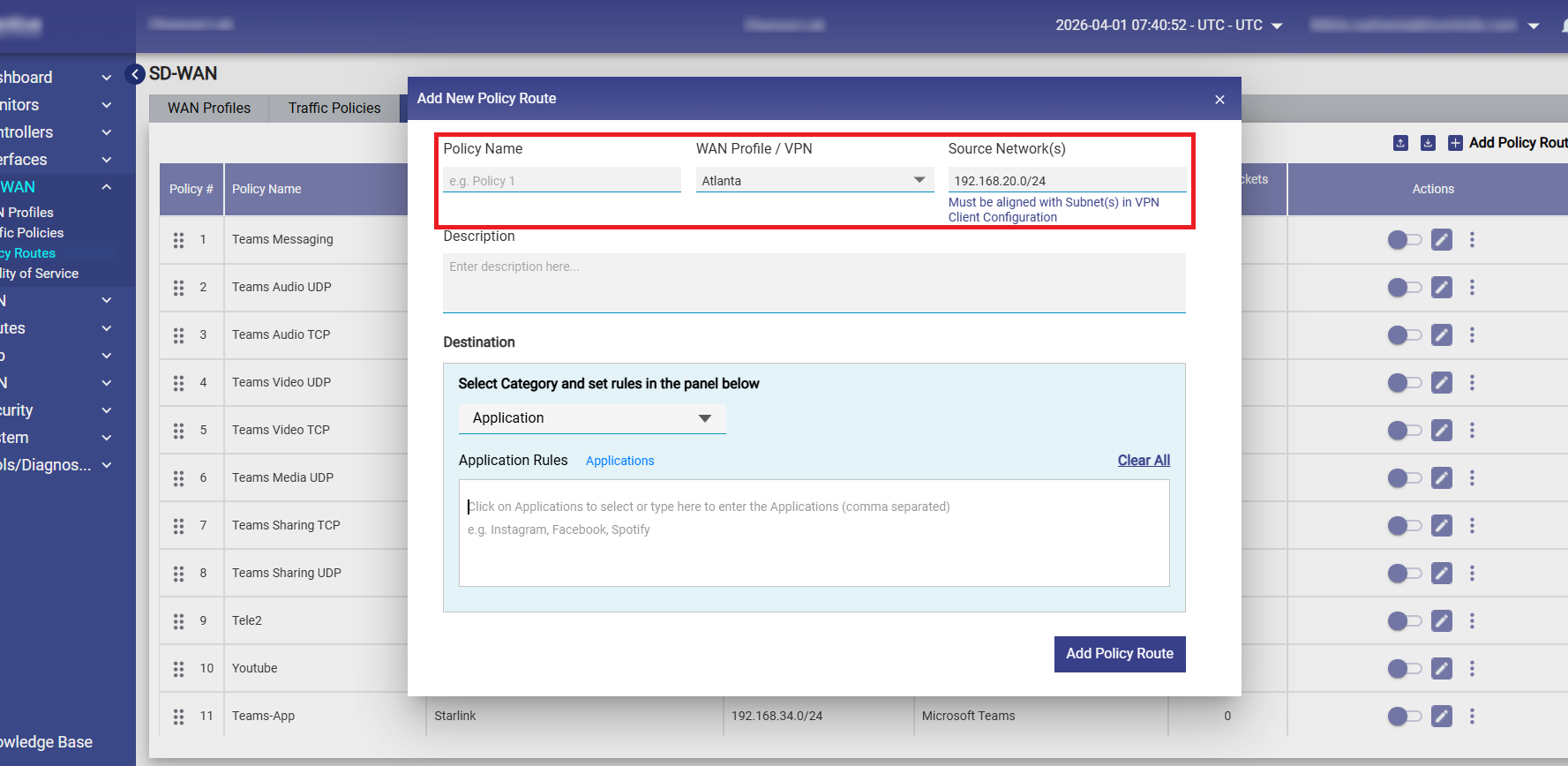
Correction for VPN status in UI – When adding or editing Policy Routes, selecting a VPN automatically pre-fills the Source Network(s) field with the corresponding subnet, along with displaying the following message below the field.
-
Handling for quick link bounce scenarios – Improved handling of bounce occurring within milliseconds.
-
Reliability improvements for MPK route establishment – Enhanced stability of routes during connection establishment.
-
Correction for CAN redirection URL – Redirection was not working when Access Network names contained spaces; this has been fixed.
-
Correction for CAN usage undercount – Usage undercounting in certain scenarios has been resolved.
-
Deprecation of older configuration restore API – Removed older Configuration restore API that caused instability and bricked units.