
RS400 [700-00140]
The RS400 system is a high-performance Wi-Fi 6 AX6000 router designed to deliver robust networking capabilities for enterprise environments. It runs Sat-Elite OWRT firmware as part of the Sat-Elite Epic platform. It can be managed directly, or seamlessly through the EpicLink web portal and the Edge Mobile App.
The RS400 system supports an array of services efficiently and effectively, reducing complexity and simplifying installations. The Sat-Elite Epic platforms consists of software, applications, cloud systems, and advanced analytics to choose the best network for the location and conditions while providing users the tools to customize their system for the best user experience.
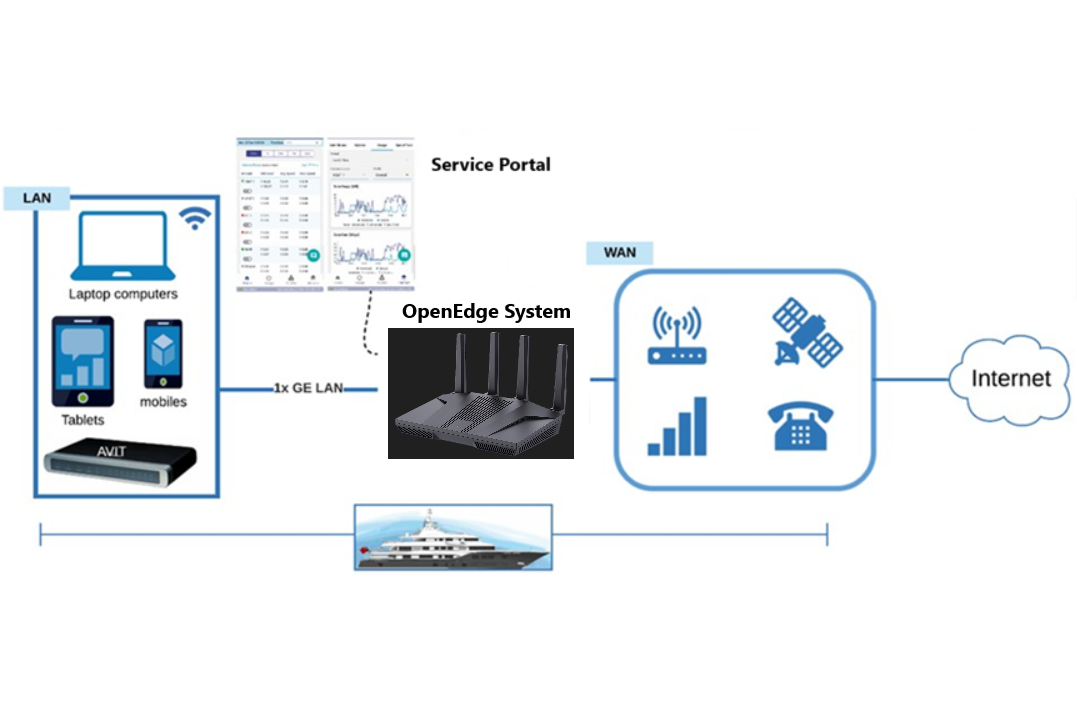
RS400 System Physical Design
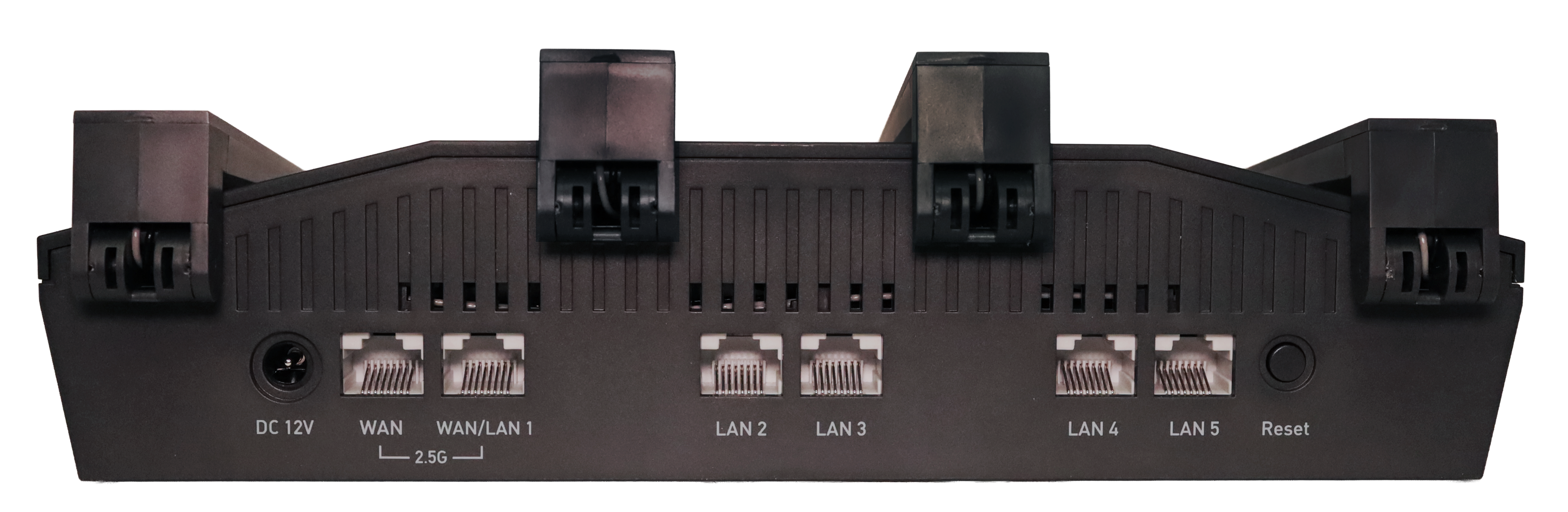
The RS400 system boasts a sleek design with multiple interfaces to accommodate various networking needs. The following figures show the primary interfaces and connections of the RS400 system.
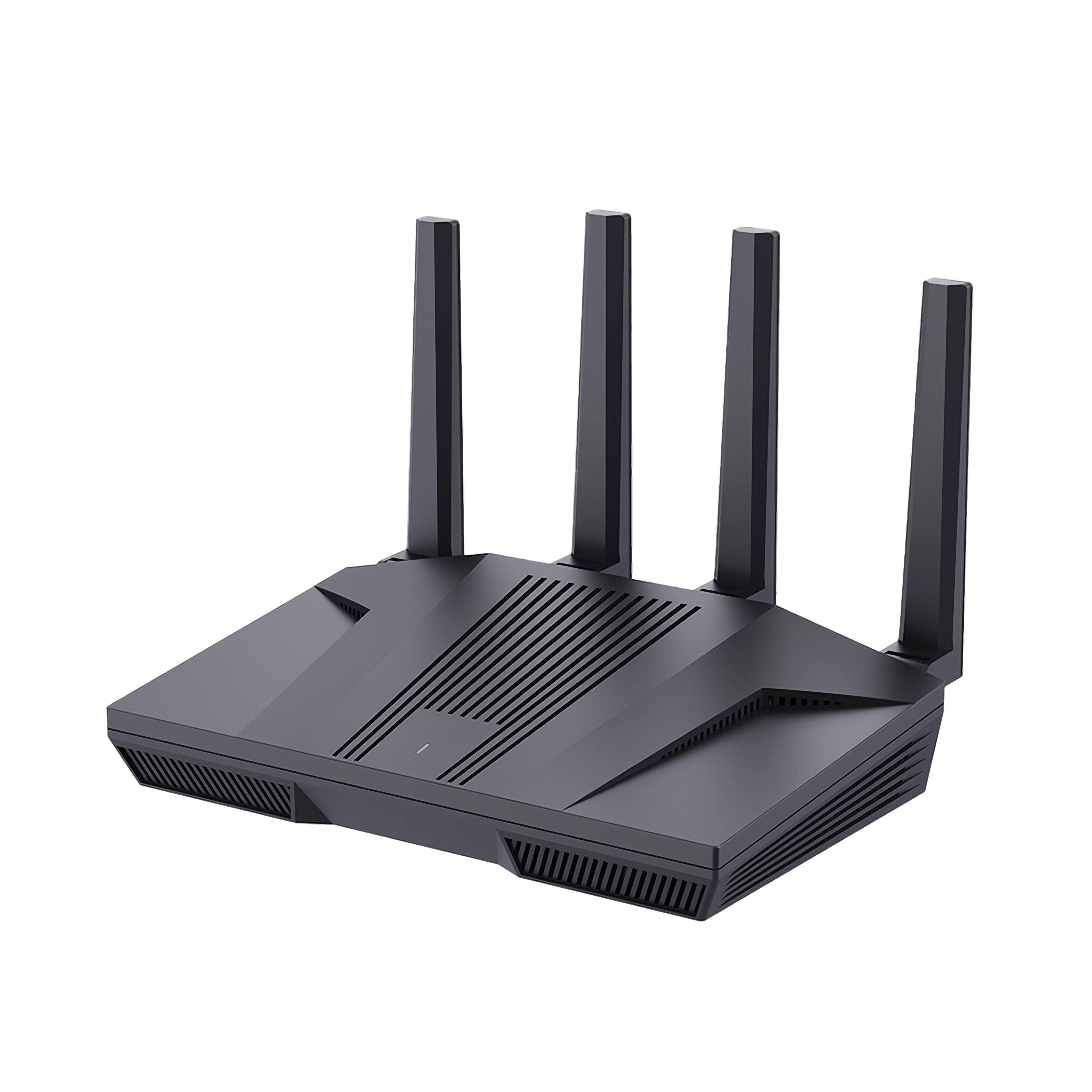
Front Panel:
-
One USB 3.0 port for system management as well as additional WAN/LAN ports by using an adapter or appropriate USB WAN device, like a 5G modem.
-
One reset button for system reboot.
Rear Panel:
-
Two 2.5G Ethernet ports configurable as WAN or LAN, supporting speeds of 10/100/1000/2500 Mbps.
-
Four 1G Ethernet LAN ports supporting 10/100/1000 Mbps connections.
-
DC power input (12V/4A) via a 5.5*2.1mm connector.
It operates on the MediaTek Filogic 830 system-on-chip (SoC), featuring a quad-core CPU clocked at 2.0 GHz, ensuring efficient data processing and network management.
For details of the external interfaces and primary limits or technical specifications, refer the below table.
|
External Interfaces |
Primary Limit or Specification |
|
Ethernet Ports |
6x RJ45: 4x 1.0 GbE LAN, 2x 2.5 GbE switchable LAN/WAN |
|
Wi-Fi |
WiFi 6, 802.11ax 2.4GHz, 5 GHz with DFS |
|
Processor |
MediaTek 803 2.00 GHz / 4 core |
|
Memory |
1 GB DDR4 RAM |
|
Storage |
8 GB eMMC |
|
Antennas |
Four external dual-band antennas for 2.4 GHz and 5 GHz frequencies |
|
LED Indicators |
One dual-color LED for power and internet status |
|
Power Consumption |
Less than 20W |
|
Operating Temperature |
0°C to 40°C (32°F to 104°F) |
|
Storage Temperature |
-20°C to 70°C (-4°F to 158°F) |
|
Dimensions |
9.17” x 5.4” x 2.1” [ 233 x 137 x 53 mm ] |
|
Weight |
791 grams |
|
Cooling |
Passive, Fanless – Silent |
|
Enclosure |
Standalone / Wall mounted |
|
Power |
+12VDC (50W Max) / 100-240 VAC, 50/60 Hz, 1.3A Adapter included |
|
Warranty |
1-year limited, extended warranty available |
RS400 System Technical Specifications
Networking Features
The RS400 system is equipped with advanced networking capabilities:
-
Ethernet Ports:
-
Two 2.5G ports (configurable as WAN or LAN) using RTL8221B transceivers.
-
Four 1G LAN ports managed by the MT7531AE switch chip.
-
-
Wi-Fi Performance:
-
Supports dual-band Wi-Fi 6 with 4x4 MU-MIMO technology, providing enhanced coverage and speeds.
-
2.4 GHz band offers up to 1148 Mbps, while the 5 GHz band supports up to 4804 Mbps.
-
Management and Software
The RS400 uses the OpenEdge operating system to provide a flexible and customizable platform for network management. Cloud-managed registration and configuration control provide a convenient, scalable means to monitor and maintain fleets of RS400 deployments in multi-WAN environments.
Wireless Operations
Device operation in the band 5150-5250 MHz is only for indoor use to reduce the potential for harmful interference to co-channel mobile satellite systems.
The functions of Wireless Access Systems including Radio Local Area Networks(WAS/RLANs) within the band 5150-5350 MHz for this device are restricted to indoor use only within all European Union countries.

Hereby, Sat-Elite Inc. declares that the radio equipment type AX6000 Wireless Router, 700-00140 is in compliance with the essential requirements and other relevant provisions of Directive 2014/53/EU. The full text of the EU declaration of conformity is available at the following address: RS400 - Certifications
WiFi Transmission Power
FCC:≤ 30 dBm (2.4 GHz); ≤ 30 dBm (5 GHz);
CE:≤20dBm EIRP (2.4GHz); ≤23dBm EIRP(5.15GHz~5.35GHz); ≤30dBm EIRP(5.47GHz~5.725GHz);≤13.98dBm(5.725GHz~5.85GHz)
Reset Button
The reset button has 2 distinct functions, based on how long the user presses the button before releasing
-
Momentary Press
-
Reboot / reset the device
-
-
10- second Press
-
Reset device to default factory settings
-
When the device is connected to the internet again, it will attempt to load the last known good configuration from the cloud
-
Device ID (DID) and Serial Number
Each device is assigned a unique Device ID (DID) and Serial Number. These identifiers are used for inventory management, registration, and customer support. The DID contains key hardware and manufacturing information, allowing customers and internal teams to identify the device model and configuration.
Device IDs are 17 characters long and follow the following format.
Example of an DID is - RS1G5AABCDEAABBCC
Description
Type Code
The first two characters of the DID represent the Type Code, which identifies the product model. Type Code of the RS400 Model is RS.
Revision
Third character Revision is a single character that indicates the hardware revision of the device.
Manufacturer Code
Fourth character shows the Manufacturer Code. Refer the manufacturer codes below. In this example, G denotes the device was manufactured by GLiNet.
|
Manufacturer Code |
Manufactured By |
|
K |
K4 (Itasca) |
|
T |
Tecnova |
|
A |
Astronics |
|
G |
GLiNet |
Date
The next two characters denote the date - years from 2020 + month.
For example:
|
Code |
Year and Month Definition |
|
1A |
2021-10 |
|
1C |
2021-12 |
|
23 |
2022-03 |
|
2A |
2022-10 |
|
33 |
2023-03 |
Configuration
The next 5 characters denotes the configuration. These 5 characters are unique to each Model.
Serial Number
The last 6 characters are the serial number of the device.